A paper calendar for your Mac menu bar
Mark the day. See the month.
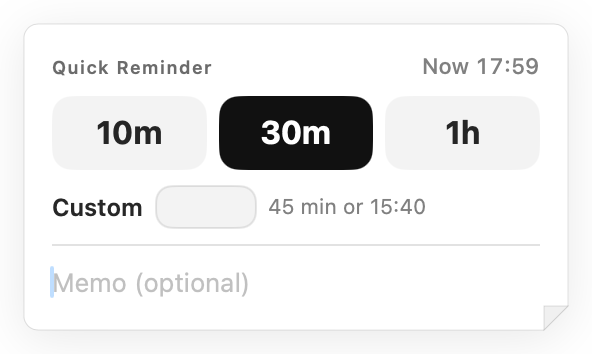
Not a to-do app or a time planner. Write on a day, color it in, draw a line for a trip — open the month and you can see what's when. Pull a day onto your desktop to keep it in sight, and set a reminder when you want a nudge.
- No account, no sign-up
- Nothing leaves your Mac
- Pay once, 14-day refund
macOS 14 Sonoma or later · Apple Silicon
watch it in 30 seconds
Every screen in the film is the real app.
01 · Read it at a glance
You shouldn't have to click a day to see what's on it.
Most menu bar calendars show you numbers. Creaseday shows you your month — memos, colors, trips and holidays sit right in the squares, the way they do on the calendar on your desk.
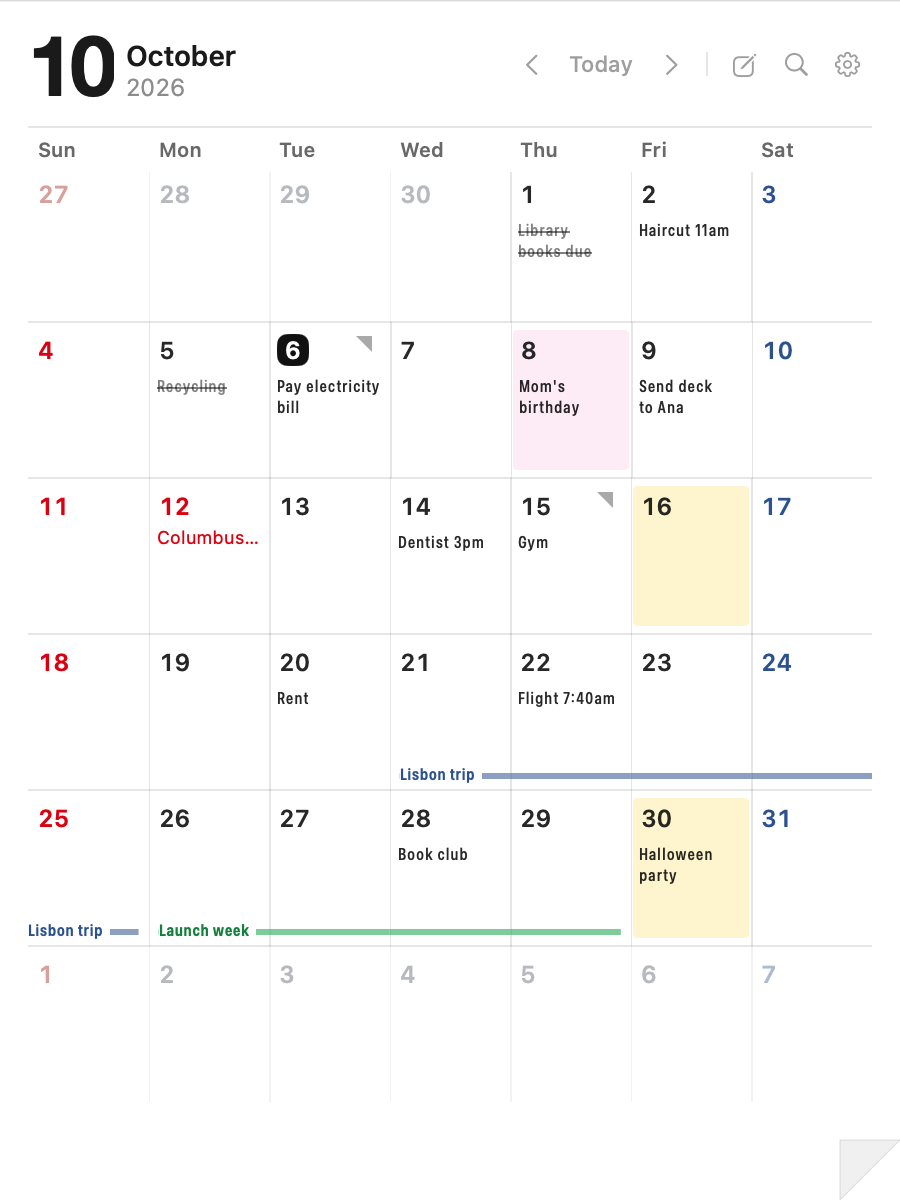
- Memos in the square Short notes read right where they belong. More than fit? A small mark in the corner tells you there's more.
- Six weeks, no scrolling The whole month and its edges, always in the same place. The window never changes size.
- Color a day in A highlighter for days that matter. Paint one, or drag across a stretch.
- Draw a line across Tap a start, tap an end. Trips and deadlines run across weeks and months without covering anything.
- Today in the menu bar The icon shows today's date, with a small dot when something is written on it.
- Holidays where you live Sundays and public holidays in red, Saturdays in blue. Pick your country and region.
How big is it?
A real page, not a tiny popup.
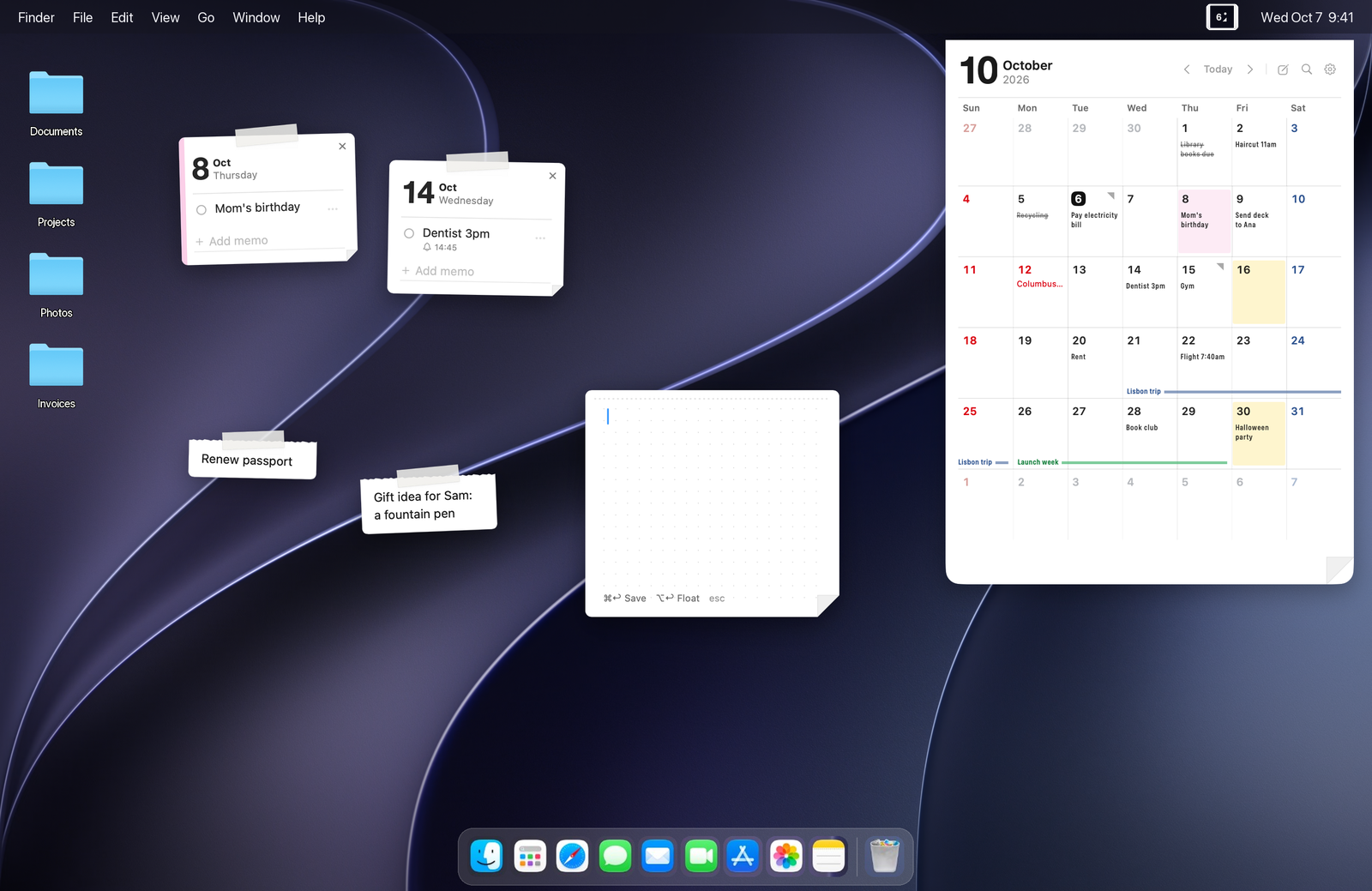
The calendar is 450 × 600 points — about a third of a 14-inch MacBook screen, big enough to read memos in the squares. Sticky notes are palm-sized. Shown here to scale.
02 · Keep it in sight
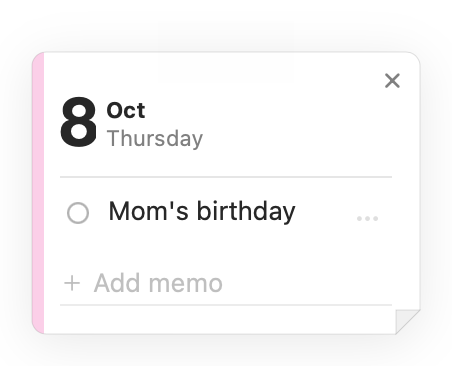
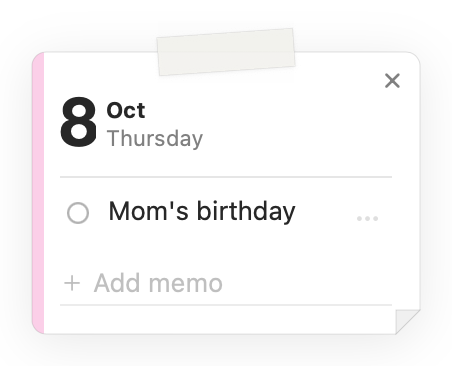
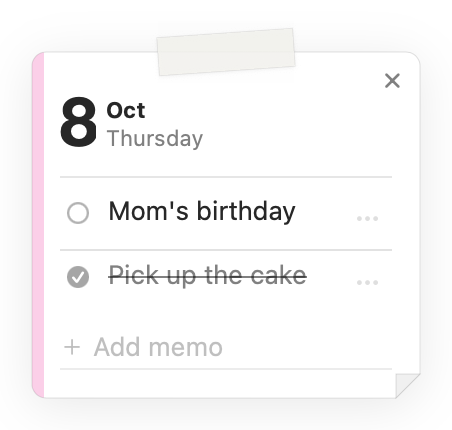
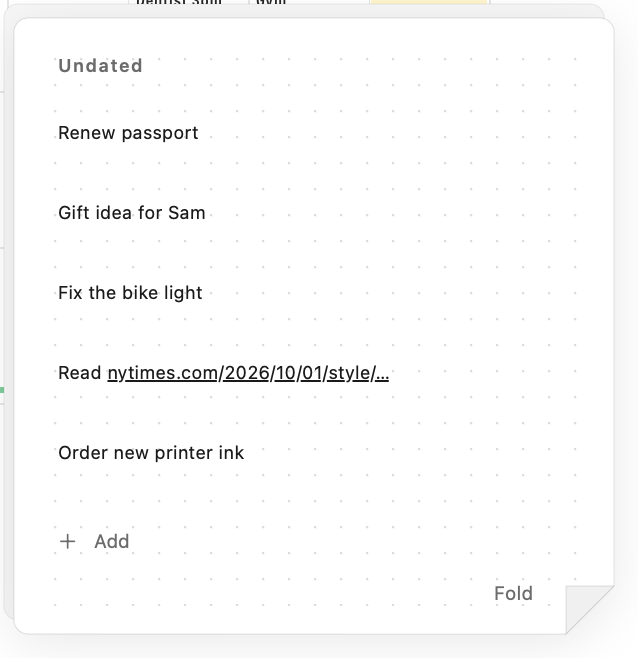
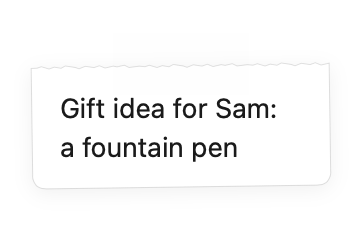
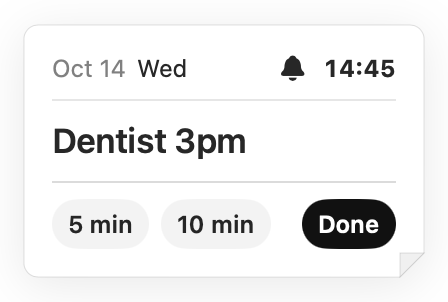
Put what matters on your screen.
03 · Start from anywhere
No need to open it first.
-
Click the date
Click today’s date in your menu bar. Your whole month opens.
 Tue Oct 6 9:41
 -
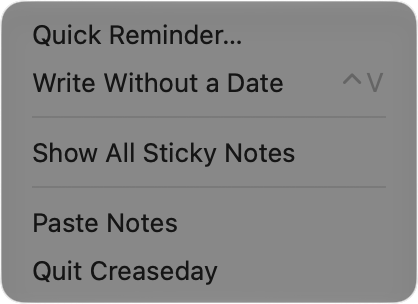
Right-click the date
Quick Reminder and Write Without a Date, one click away.
-
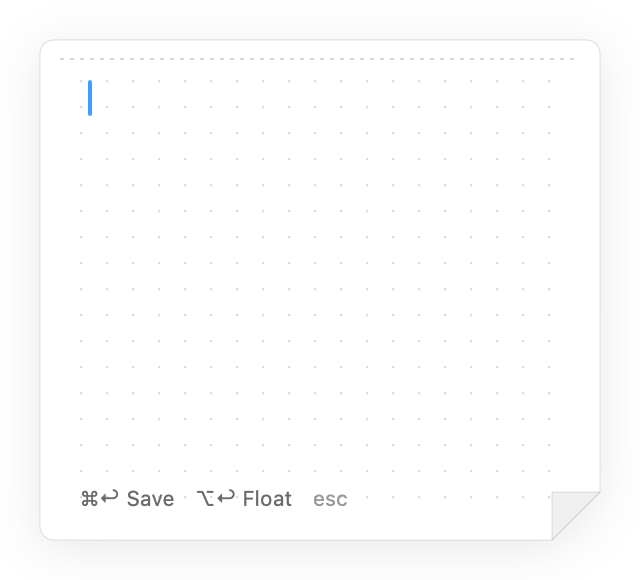
Press your shortcut
Pick a shortcut in Settings. Write Without a Date opens over any app.
-
From any app
Select text, right-click, and send it over. Lines with a date go to that day. The rest waits in Undated.
Right-clickServicesAdd to Creaseday
04 · Paste Notes
Paste a page of notes. The dates find their days.
Meeting notes, a chat, an email. Every line that starts with a date becomes a memo on that day. You see where each one lands before you add it, and one click undoes the whole batch.
- Fri send the deck to Ana Fri, Oct 9send the deck to Ana
- tomorrow book the room Wed, Oct 7book the room
- Oct 20 review the copy Tue, Oct 20review the copy
- Budget looks fine no datestays in your notes
- next Friday team lunch not sureyou choose the day
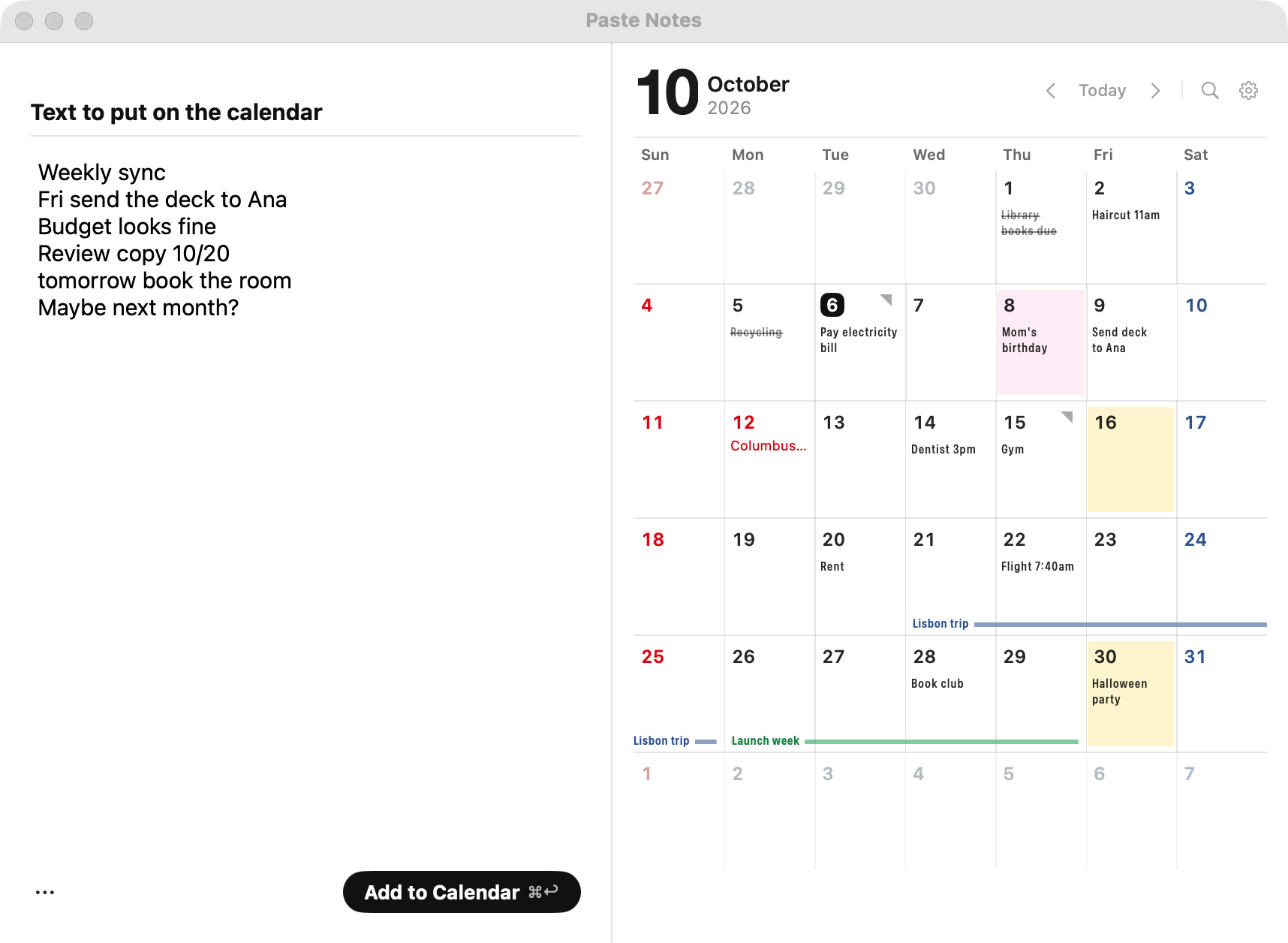
Simple, fixed rules, right on your Mac. No AI, no internet, no guessing what you meant.
05 · What it doesn’t ask of you
No sign-up. No cloud. Nothing to learn.
-
No account. No sign-up.
No email, no password, no onboarding. Open it from the menu bar and write.
-
Nothing leaves your Mac.
No analytics, no tracking, and your records never leave your Mac. They're one file you can export any time.
-
Nothing to learn.
It works like paper: write on a day, color it, drag it off, tape it up, fold the corner. If you have used a desk calendar, you already know how.
-
Nothing nags you.
Task or event? Doesn’t matter. Nothing goes overdue, no red badges, no streaks.
Pay once.
Keep it on your desk.
Less than a paper calendar, and it doesn't run out in December.
One-time purchase · Lifetime updates · Use it on your own Macs
- Memos, colors, spans and search
- Paste Notes, Reminders, Undated
- Date-aware sticky notes
- Built-in public holidays
- Light and dark, follows your Mac
14-day refund, no reason needed · macOS 14 Sonoma or later · Apple Silicon
Not your whole schedule.
Just what’s on the page.
No phone to sync, no accounts to connect, no settings to dig through. Just the paper calendar next to your keyboard — what you jot down, you see without asking.
Questions
Do I need an account?
No. There is nothing to sign up for. Open it and start writing.
Does it send my data anywhere?
No. Your records stay on your Mac and there are no analytics. The only thing Creaseday ever asks the internet is whether a new version exists, and only if you allow update checks.
Does it work offline?
Always. Everything works offline; only update checks need a connection.
How big is the calendar?
450 × 600 points, about a third of a 14-inch MacBook screen. It always opens at the same size.
How do updates work?
They're free for life. Creaseday asks once whether to check for updates; say yes and new versions install from inside the app. You can also choose Check for Updates… from the menu bar icon's right-click menu.
Can I move my notes to another Mac?
Yes. Export your records to a file from Settings, then import it on the other Mac.
Where are my notes stored?
In a single file on your Mac. Nothing is uploaded anywhere. You can export a backup whenever you like.
Does it work with Google Calendar or iCloud?
No. Creaseday is its own paper — it doesn't read or write other calendars.
Will it remind me?
If you want. Give a memo a time and a card appears on your screen at that moment. Nothing rings unless you set it.
Which holidays are included?
Public holidays for countries around the world, many with regional options, for 2026 through 2029. They ship with the app and update when the app updates.
Can I get a refund?
Yes. Ask within 14 days of purchase. No reason needed. Email us with your order number and the refund goes back to your original payment method.
How many Macs can I use it on?
It’s a personal license for your own Macs. There’s no license key and no activation. Download it and it’s yours.
How long does the launch price last?
$5.99 until December 31, then $7.99. Either way it's a one-time purchase.
Put a paper calendar in your menu bar.
No account · Nothing leaves your Mac · Pay once · 14-day refund